Yes2Win Instant Topup Teaching (Ewallet) – Full Tutorial


Step 1: Access the Top-Up Page
On the Yes2Win homepage, tap the green wallet icon to enter the top-up section. This is your gateway to fund your gaming account via eWallet.
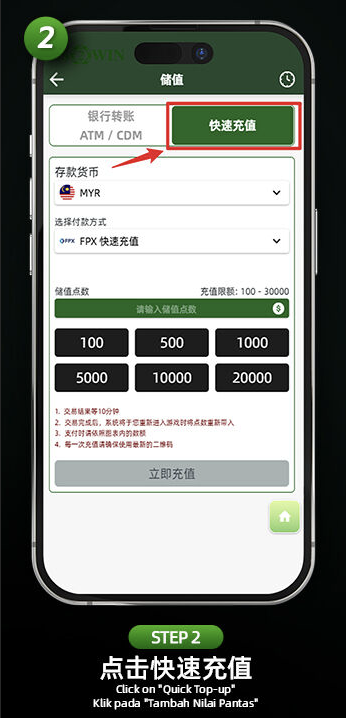
Step 2: Select "Quick Top-Up"
Choose the "Quick Top-Up" tab to continue. This allows you to access instant funding channels via FPX and eWallet systems.
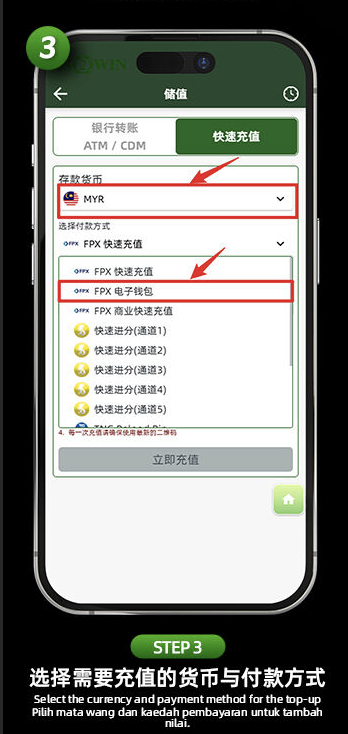
Step 3: Choose Currency and "FPX eWallet"
Make sure your currency is set to MYR, then select the payment method as "FPX eWallet" to proceed with supported digital wallets.
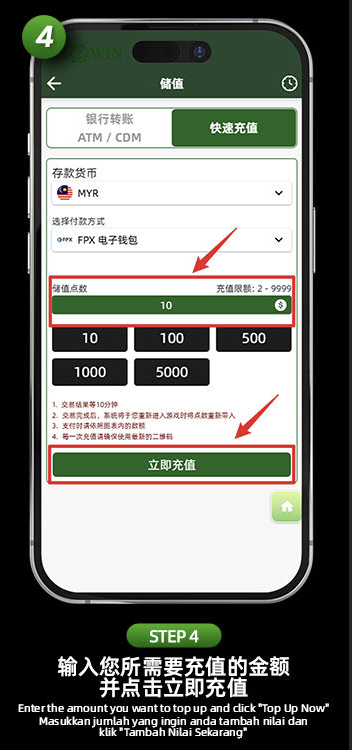
Step 4: Enter the Amount
Input your desired top-up amount (minimum RM2, maximum RM9999) and click "Top Up Now" to continue to the payment gateway.
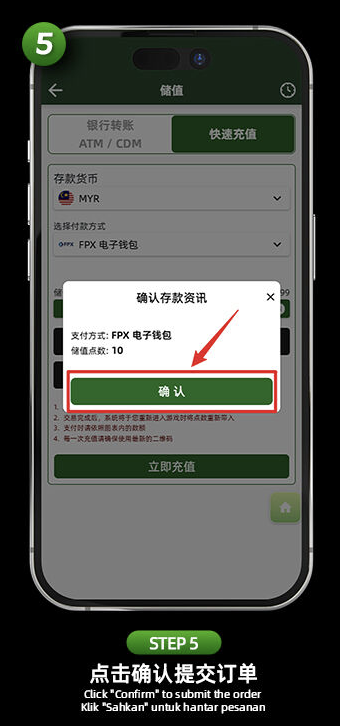
Step 5: Confirm Transaction
Review your top-up details such as payment method and amount, then tap "Confirm" to submit the order and proceed to checkout.
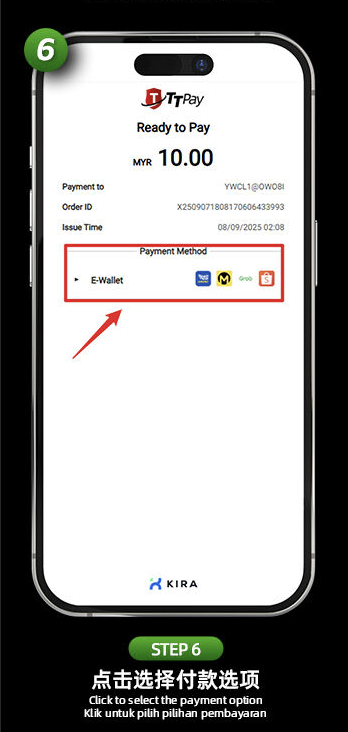
Step 6: Choose Payment Channel
You’ll be redirected to the TrxPay gateway. Under "Payment Method", select "E-Wallet" to reveal supported digital wallets.
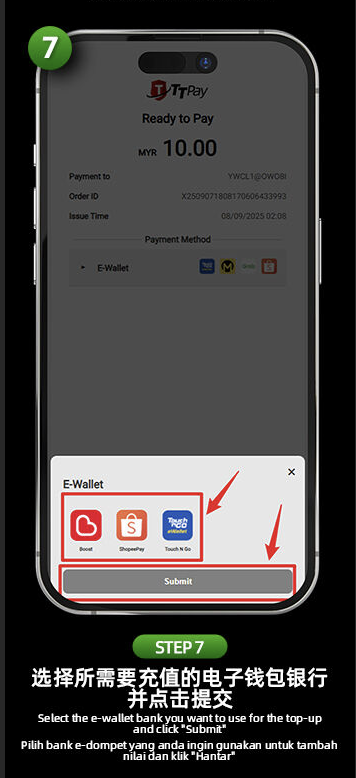
Step 7: Select eWallet & Submit
Choose your eWallet provider (Touch ’n Go, Boost, ShopeePay, etc.) and press "Submit" to move to the secure payment page.
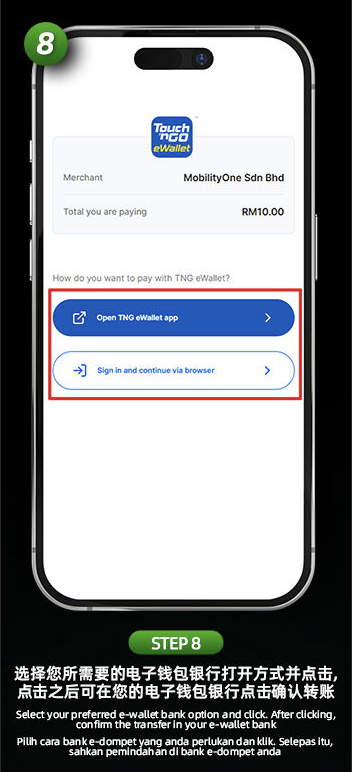
Step 8: Complete Transaction
You’ll be prompted to open the selected eWallet app or proceed via browser. Login and approve the transaction within your eWallet.
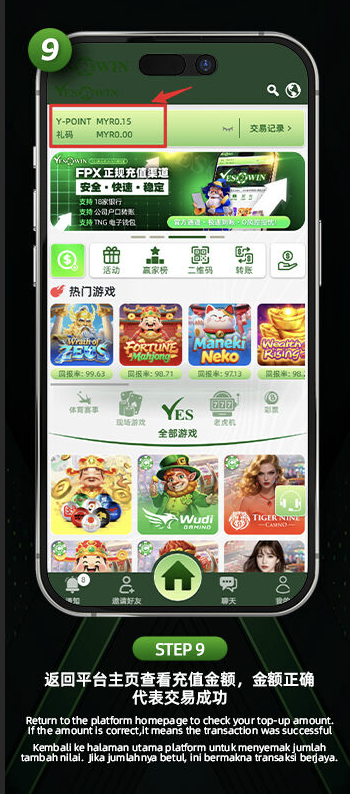
Step 9: Confirm Success on Yes2Win
Once payment is successful, return to the Yes2Win homepage to confirm your updated balance. If the amount is correct, the top-up was successful.
Ready to Top Up Instantly?
Follow this eWallet recharge guide and enjoy seamless gaming without delays. Yes2Win supports all major Malaysian digital wallets.