Yes2Win Top Up Guide
Sign In to Your Yes2Win Account
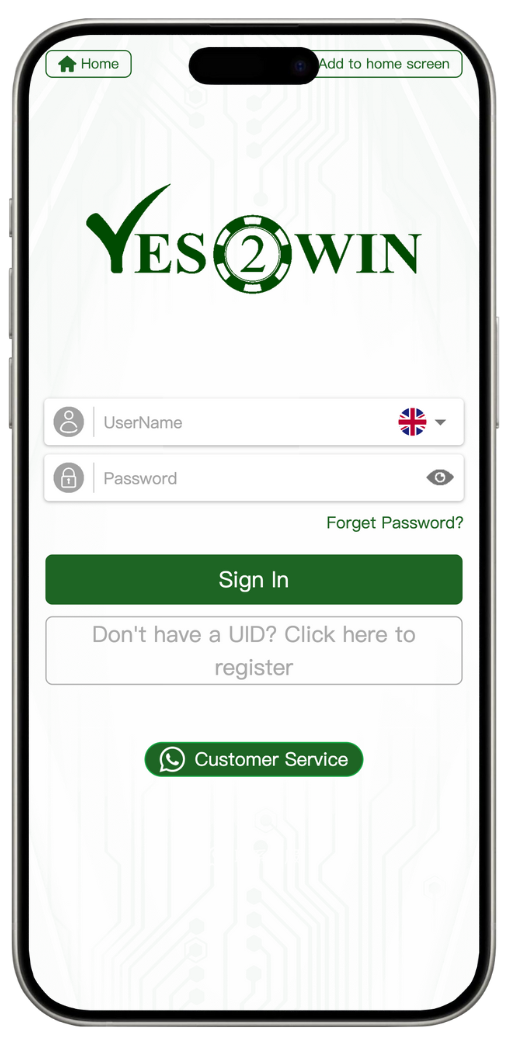
Step 1: Enter Your Username
Input the username you used during registration. This is required to identify your unique UID and access your account dashboard.
Step 2: Enter Your Password
Type in your secure password. Your password must match the one set during registration to ensure account protection.
Step 3: Click "Sign In"
After entering your credentials, press the "Sign In" button to log into your Yes2Win account. Use the credentials you created during registration. Make sure there are no typos or spacing issues.
Account Login Assistance
Forgot Password?
Click the "Forget Password?" link to recover your account. Follow the on-screen steps to reset your password securely.
Don’t Have an Account?
If you don’t have a UID yet, click the "Click here to register" link to create a new Yes2Win account at Yes2Win/register.
Need Help?
Contact Yes2Win Customer Service anytime via the "Customer Service" button. Our support team is ready to assist you 24/7.
Login Features at Yes2Win
Multilingual Login Interface
Yes2Win supports multiple languages. Use the language selector at the top-right to switch to your preferred language.
Mobile-Friendly Login
Access your Yes2Win account from desktop or mobile. You can also click "Download APP" to install the official application for quicker access.
Secure Login System
Yes2Win uses encrypted technology to protect your login credentials and personal data. Always log in from a trusted device.
Login Tips
Keep Your Credentials Safe
Never share your username or password. Yes2Win will never ask for your credentials via phone, email, or chat.
Bookmark the Official Login Page
Only use https://Yes2Win/login to avoid phishing or fake login attempts. Bookmark it for safe daily access.
Login Now to Yes2Win at Yes2Win
Sign in to your Yes2Win account today and explore exciting games, live events, rebates, and instant withdrawals.